You've tried AI. Now what?
By now, most businesses have gone well past dabbling. Your team has probably used ChatGPT, Claude or Copilot to fix up a spreadsheet, pull together a report, sort out a messy folder of files, or draft a tricky email. Most are using it daily to some degree.
So it’s working. But you may also have the nagging feeling there’s a lot more it could do, without a clear picture of what the next step actually is.
That’s the conversation I’m having with most clients at the moment. Everyone’s using AI for something. Far fewer know what the next level looks like for a business their size, or how to get there. The questions usually sound something like this:
- What will actually work with our systems and infrastructure?
- What’s genuinely valuable, and what’s a waste of time and money?
- How do we give AI more access without compromising security?
- How do we control which staff can access what?
- Do we need to move things out of dozens of spreadsheets and into a proper database?
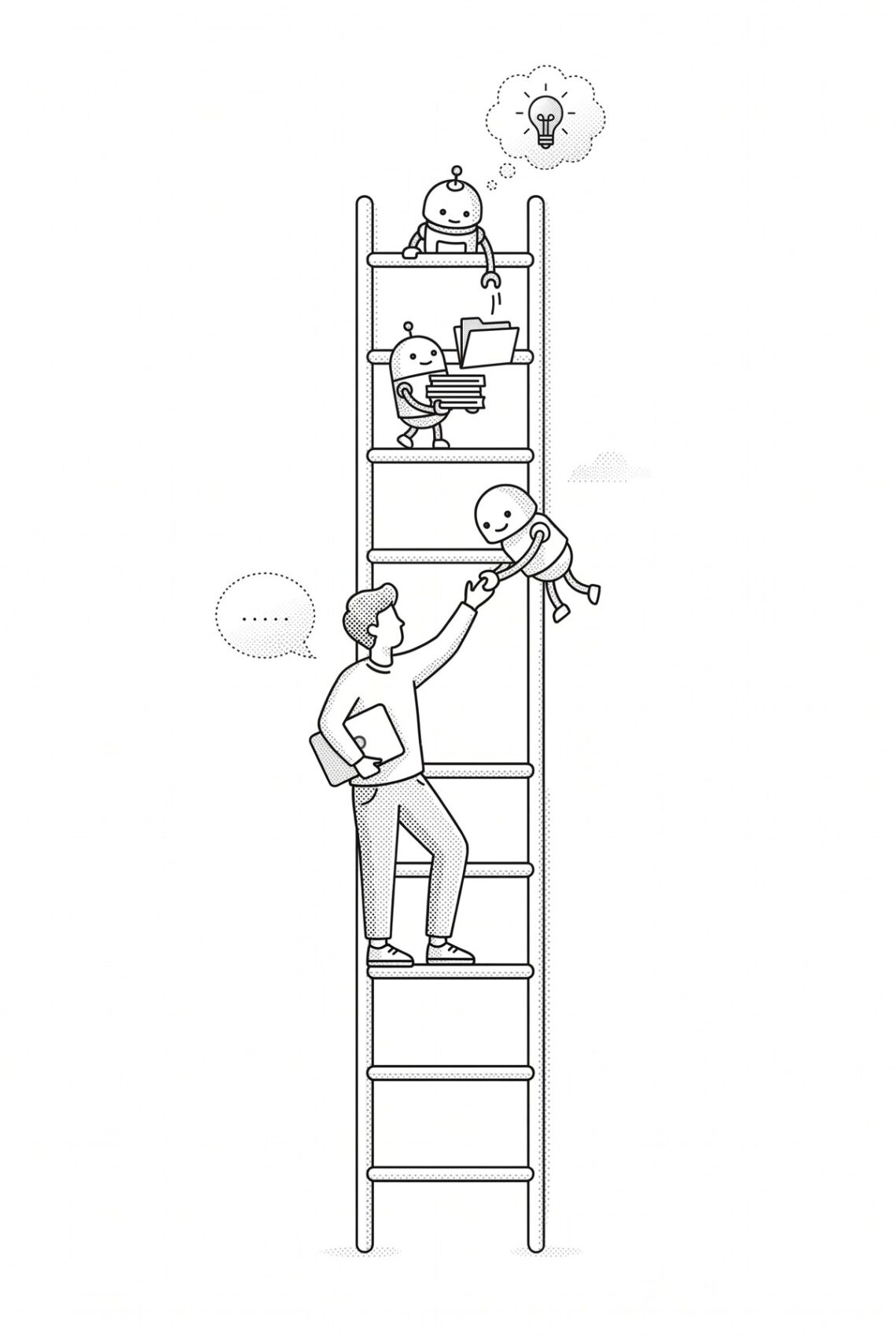
The answers depend on where you’re starting from. That’s what the ladder is for.
The seven stages of AI adoption
Here’s how we think about it. The AI Adoption Ladder is a seven-stage model of how a business moves from occasional chat use to AI that runs whole processes on its own, and it comes in two halves.
Stages 1 to 4 are AI assisting people. Nothing happens until someone opens a chat and asks.
Stages 5 to 7 are AI doing the work. It runs in the background, on rules your team sets.
The jump between those two halves is the biggest one on the ladder, and it’s where most of the real time savings sit. Most businesses we talk to are somewhere between stages 1 and 3. Open each stage to see where you fit.
Assisted: AI helps when someone asks
Stage 1: Chatting
People use AI in a chat window when they remember to. They copy something in, copy the answer out, and get on with their day.
You’re probably here if:
- AI is “a thing a couple of people use” rather than a thing the business uses
- Results are hit and miss, so people try it, shrug, and go back to the old way
- Nobody has checked what information is being pasted into it
That last point matters more than people expect. Client details pasted into a free tool on a personal account now sit on someone else’s servers, outside your business and its privacy obligations.
Next step: Pick a platform, get proper business licences (where your data isn’t used for training), and agree a few simple ground rules about what goes in.
Stage 2: Connected
The chat can now see your email, calendar, files and CRM. Instead of pasting things in, people ask “what did the client say about the timeline last week?” and it goes and looks.
You’re probably here if:
- People are asking AI questions about the business, not just about writing
- Prep for meetings, catching up on long threads and finding that one file have all got faster
Worth knowing: This is where the risk goes up. One person’s AI with access to an entire inbox and the customer database, and no shared rules about what it’s used for, is a lot of reach with not much oversight. Get the permissions right before everyone connects everything.
Next step: Notice what people keep asking it to do the same way, over and over.
Stage 3: Personal toolkit
Your keen team have started building their own skills, templates and saved instructions. One salesperson has a brilliant set-up for replying to new enquiries. Someone in admin has one that turns meeting notes into a tidy client update.
You’re probably here if:
- A few people get noticeably better results than everyone else
- The good stuff lives in individual accounts and individual heads
- Two people have built the same thing, slightly differently, without knowing
This feels like progress, and it is. But it’s still individual productivity, not a business capability. When your best person leaves, their set-up leaves with them.
Next step: Bring it together.
Stage 4: Shared playbook
The business keeps one shared library of skills, templates and context, including your brand voice, standard documents, product and pricing information, and your way of doing things. Set it up once and push to everyone who needs it.
You’re probably here if:
- New staff get the benefit of your best people’s methods on day one
- Emails, proposals and reports sound like the same company, whoever wrote them
- Someone owns the library and keeps it up to date
For a property sales team, that might be an assistant that already knows a project’s inclusions, price list and FAQs, so every consultant’s reply to a buyer is fast and consistent. For a builder, a standard format that turns site notes into a client progress update.
For a lot of small and medium-sized businesses, this is the sweet spot for the next 12 months. It’s relatively cheap, low risk, and it turns AI from a personal habit into a business asset.
Next step: Find the tasks people are still starting by hand that don’t really need them to.
Autonomous: AI does the work
Stage 5: Running on its own
This is the jump. Automations now start without anyone asking. Something triggers the job, like a new enquiry, a change in the CRM or a time of the week. The AI does the work and lets the right person know when it’s done:
“This week’s sales report is ready for review. I couldn’t find settlement dates for two lots, so please check those before it goes out.”
You’re probably here if:
- Some work is done before anyone gets into the office
- People review and approve more than they assemble
- You can point to specific hours a week that have gone away
Worth knowing: This only works when the job is well defined and the stage 4 groundwork is in place. The rule we work to is AI drafts and prepares, and people approve anything that goes to a customer or commits money.
Next step: Join the individual automations into whole processes.
Stage 6: Process owner
Mature, well-tested workflows run significant parts of the business from start to finish, often handing work from one to the next. A new enquiry gets a tailored response, goes into the CRM, gets a follow-up booked and gets tracked to a result, with people stepping in at the points that need judgement.
You’re probably here if:
- Whole processes run on AI, not just individual tasks
- Your team’s job has shifted towards decisions, relationships and exceptions
- You could take on noticeably more work without hiring at the same rate
This takes time, good systems and clean data. If your CRM is a mess, the automations will very confidently do messy things at speed.
Stage 7: Self-improving
The system learns from the corrections people make, gets better as it goes, and starts suggesting its own next job:
“The team spends about six hours a week reconciling these two reports. Want me to take that on?”
People stop hunting for things to automate and start approving what the system proposes. They set direction, make the judgement calls, and look after the relationships.
This is where things are heading rather than where most businesses need to be this year. It’s real, though. We’re running early versions of it inside our own business now.
So where are you?
| If this sounds like you… | You’re probably at… |
|---|---|
| “A few of us use ChatGPT sometimes.” | Stage 1 |
| “It can see our email and calendar.” | Stage 2 |
| “Some of us have built our own prompts and templates.” | Stage 3 |
| “We have a shared library everyone uses.” | Stage 4 |
| “Some jobs just happen, and we check the output.” | Stage 5 |
| “Whole processes run on it.” | Stage 6 |
| “It tells us what to automate next.” | Stage 7 |
Most businesses aren’t neatly on one stage, either. Marketing might be at stage 4 while accounts is still at stage 1. That’s normal.
Three things worth
knowing before you climb
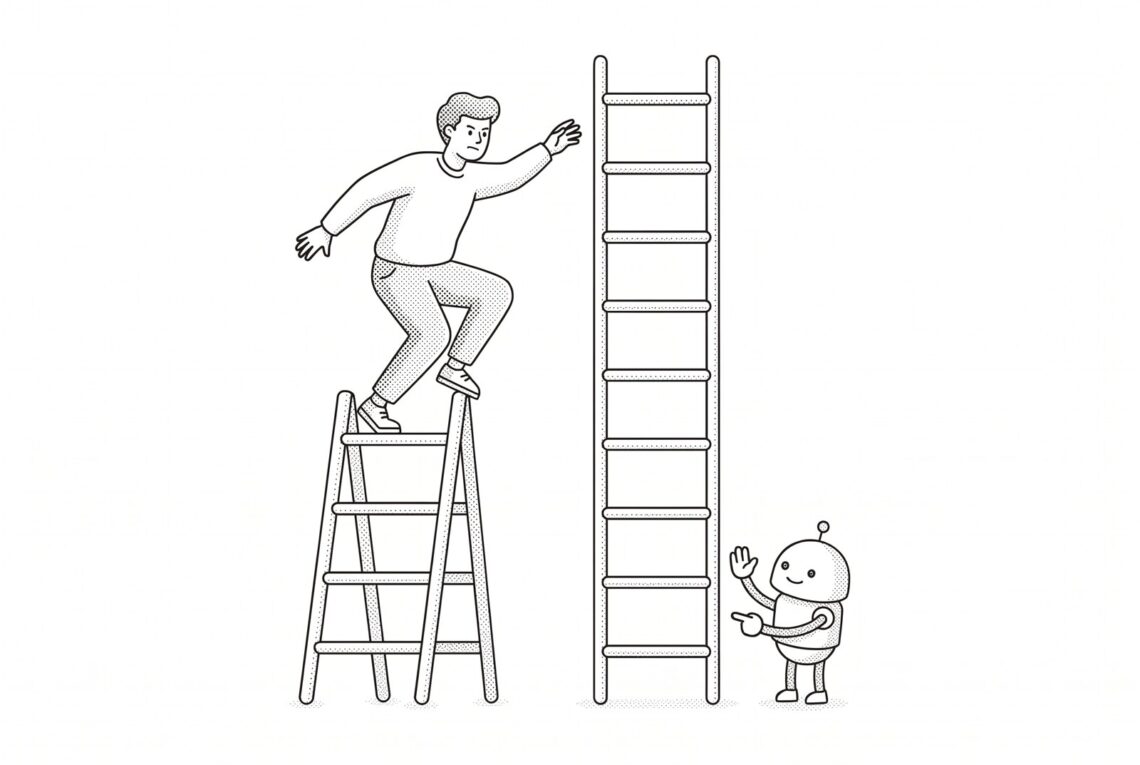
You can’t really skip stages. The most common mistake we see is jumping from stage 2 straight to “Let’s build an AI agent!” Without the shared playbook from stage 4, the automation doesn’t know how you do things, and you end up building it twice.
Stage 3 is a trap if you stay there. It feels like adoption is going well because a few people are flying. But the business isn’t getting any more capable, just more dependent on those people. Moving from 3 to 4 is mostly an organisational job, not a technical one.
Start with the boring tasks. The best first automations are the admin-heavy jobs nobody enjoys, like reports, follow-ups, data entry, reformatting. They’re low risk, easy to measure, and people notice straight away when they disappear.
Where we fit in
I’m David Jeffrey, iCreate’s co-founder and Digital Director. I lead a team of three senior engineers, and I’ve been building custom software and automating business processes since 2001. Automation, integration and making businesses run more efficiently have been my thing for over two decades, and this isn’t the first wave I’ve worked through. Virtualisation, the move to the cloud and digital transformation each felt a lot like this at the time.
Most of what’s on this ladder is new tooling applied to an old discipline: work out where the time actually goes, define the process properly, then get software, scripts and now AI to do the repetitive part reliably. Sometimes that means moving data out of decade-old spreadsheets and files so both people and AI can actually use it. Every business is different, so the approach is always tailored. The good news is that we use AI to do the work too, so projects move much faster than they used to. You’ll be surprised how quickly change can happen now.
We’ve been climbing this ladder ourselves since mid-2024, well before it became fashionable. Our internal AI tooling and automations now handle a growing share of our routine admin, checking, QA and day-to-day business processes, so our team can spend their time on their craft rather than paperwork. That head start means we’ve already found most of the potholes.
If you’d like to work out where your business sits and what a sensible next stage looks like, we’re happy to have that conversation. It usually starts with a look at where your team’s time goes, and a couple of good candidates show up quickly.